<-- this is shared/teaser/slider-teaser.html.erb -->

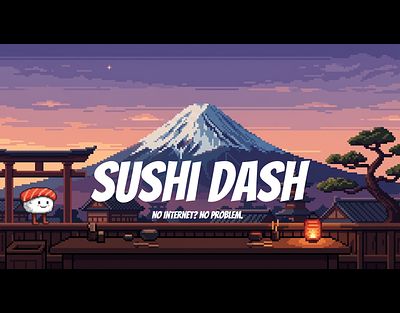
Sushi Dash
Arcade Action on the Conveyor Belt
We all know the feeling. You're browsing the web, watching a video, and suddenly—your internet connection drops. Then, the legendary offline Dinosaur game appears on your screen to save you from boredom. I have always loved these simple, reflex-based evasion games, and I wanted to create my own upgraded version: more dynamic, more colorful, and a lot more stressful. The result is Sushi Dash. The ultimate irony of this project? I actually don't like eating sushi at all.
The Core Experience
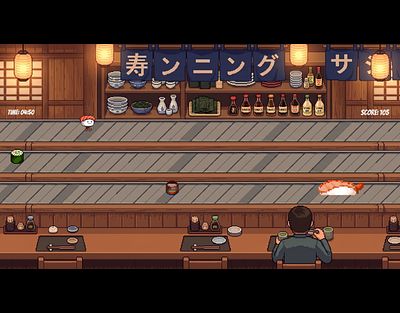
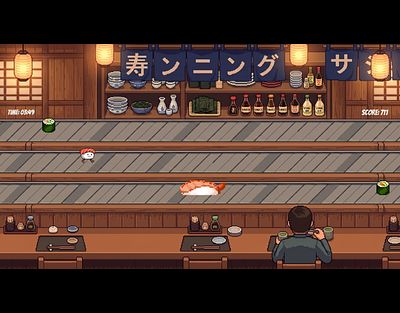
The premise is as simple as it is sweat-inducing. You play as a small, pixelated piece of sushi that suddenly wakes up on the conveyor belt of a busy running-sushi restaurant. Your only goal is to survive by dodging plates and other food items flying towards you.
To keep the barrier to entry extremely low, I designed a minimal two-button control scheme: you only need to move up and down to switch between the three lanes. However, it doesn't stay comfortable for long. The game features a progressive difficulty system. The longer you survive, the faster the conveyor belt gets, turning a relaxing meal into a high-adrenaline 60-FPS micro-session. It is designed for quick, intense bursts of two to five minutes—the perfect time killer.
Building a Custom Engine
For this project, I consciously decided against using a pre-built, drag-and-drop game engine like Unity. I wanted to build the foundation from scratch to truly understand what happens under the hood of a video game.
Sushi Dash is written entirely in C# using the SFML multimedia library. This meant I had to code my own custom framework to handle the game loop, user input, and collision detection. To capture that nostalgic arcade vibe, I also decided to step out of my comfort zone and create all the visual assets myself. Every player sprite, every obstacle, and every animation is custom, hand-drawn pixel art.
Overcoming the Architecture Jungle
The biggest hurdle in bringing this game to life wasn't drawing the graphics; it was the software architecture. Before this project, I was mostly used to writing simple scripts. Suddenly, I had to manage a complex system and juggle way more than just two classes!
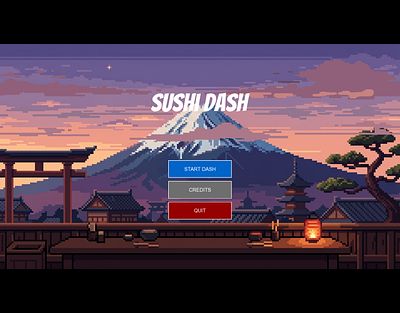
This project was a massive leap in my understanding of Object-Oriented Programming (OOP). Using class diagrams helped me plan the structure before writing the code. A major breakthrough was implementing a "State Machine" pattern. This concept allowed me to cleanly separate the main menu, the active gameplay loop, and the game-over screen. It kept the code incredibly organized, scalable, and easy to debug.
Conclusion
Sushi Dash started as an homage to classic offline browser games, but it turned into a profound learning experience. It taught me how to structure complex software, manage game assets efficiently, and push through technical roadblocks to deliver a polished, playable product. I might still refuse to eat sushi in real life, but bringing this little piece of code to life was incredibly rewarding.
Gameplay
Menu screen
Gameplay1
Gameplay2
Game Over

Titel Screen