<-- this is shared/teaser/slider-teaser.html.erb -->
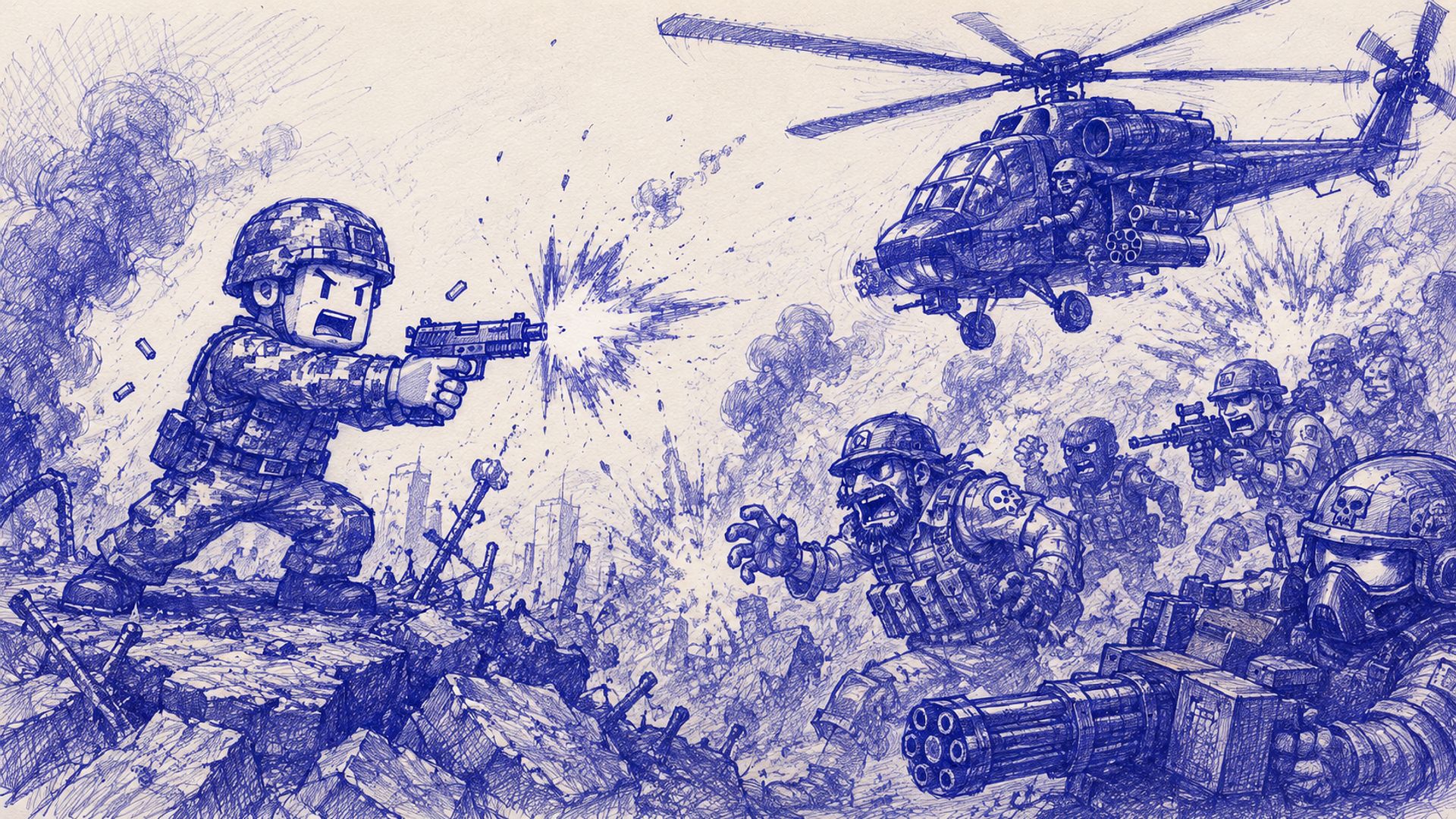
Gameplay
near final version with some placeholder sprites still in place
Doodle Fighting Force is a 2D side-scrolling action platformer where you play as a soldier fighting through a war-torn, hand-sketched world rendered in a "ballpoint pen doodle" art style. The game is built from scratch in C# using SFML.Net 3.0, running at a fixed internal resolution of 1920x1080 with full support for different aspect ratios via letterboxing.
Gameplay
The player controls a soldier with smooth platforming movement: running, jumping with coyote time for forgiving timing, and a directional dash that can be aimed using WASD even mid-air, with its own cooldown shown on the HUD. The player can also crouch to drop down through one-way platforms.
Combat is mouse-aimed — the player aims a rifle in any direction with a custom crosshair, while a separate aiming arm/line indicates the firing direction. Left-click fires standard rifle bullets with a short cooldown, while right-click launches an underbarrel grenade. Grenades are affected by gravity, arc through the air, and explode on impact with the floor, a platform, or an enemy — dealing area-of-effect damage to both enemies and the player (friendly fire included), visualized with an expanding orange explosion and a bright inner flash.
Enemies
Normal Enemies chase the player on the ground and fire short-range shotgun-style bursts that despawn after a limited travel distance, forcing the player to stay at a safe distance or close in fast.
Snipers stay stationary, track the player with a state machine (Reposition → Aim → Shoot → Cooldown), display an animated red laser sight while charging a shot, and fire a single high-velocity, high-accuracy bullet once their aim timer completes. Their idle and shooting animations are fully separate spritesheets that blend smoothly between states.
The Boss is a helicopter that is always airborne, hovering with a sine-wave motion above the arena. In its first phase it fires bursts of single shots at the player. At 50% HP it becomes invincible, performs a fast dash to the top-right corner of the screen, then slowly crawls left along the top of the screen while dropping bombs that explode on impact — a dedicated "bullet hell" transition phase. After reaching the left side, it becomes vulnerable again and enters its enraged second phase, firing wide 5-projectile spread shots more frequently while flying faster and higher, with a glowing red/orange aura indicating its heightened threat level. A health bar with phase-dependent labels ("BOSS", "BOSS !! ENRAGED !!", "BOSS !! TRANSITIONING !!") is displayed at the top of the screen.
Levels & Progression
The game consists of 4 stages, each with a unique tiled background, platform layout, and enemy composition. Each stage requires the player to defeat a set number of enemies (or all of them) before an exit opens on the right edge of the screen. Walking into the exit transitions to the next stage, with the player's kill count, position, and velocity reset appropriately. Clearing the final stage (which contains the boss) leads to a "You Won" screen showing total kills across the run.
UI & Menus
The game includes a full menu system: a main menu, a controls/keybinding menu, a credits screen, in-game pause menu, and win/lose end screens. The controls menu supports two independently rebindable key slots per action (e.g. Jump can be bound to both W and Space simultaneously), with live "Press a key..." prompts during rebinding and persistent saving/loading of bindings to a JSON file. The HUD displays heart-based health (with full/half/empty states), a dash cooldown bar, current kill count, and stage progress.
Audio & Polish
Sound effects are included for gunfire and explosions, with background music that loops within a defined section of the track. The cursor changes contextually — a custom crosshair during gameplay and a different cursor in menus — and the mouse is locked to the window during play to prevent accidental focus loss (which automatically pauses the game). A toggleable debug mode (F1) shows collision boxes and debug lines for development purposes, hidden by default in the released build.
Technical Highlights
Custom input system supporting keyboard and gamepad simultaneously, with dual rebindable bindings per action
Resolution-independent rendering via dynamic letterboxing that adapts to any aspect ratio, including ultrawide
Modular enemy AI built around shared helper functions (chase, keep distance, line-of-sight, spread/burst shooting)
State-machine-driven enemy and boss behavior
Physics system with gravity, platform collision, one-way drop-through, and coyote time
Sniper Enemy

Intens boss battle

Custom Inputs
With double mapping

Title Screen
